Starter board sizes
Public AAC seeds every new person with the Universal core board: the 36-word Universal Core vocabulary from Project Core (Center for Literacy and Disability Studies, UNC-Chapel Hill, CC BY), in the same 6×6 layout as their printed materials — so the board matches what a school or SLP may already be teaching with. If that’s too dense to start with, two smaller presets carry a subset of the same words:
| Preset | Grid | Best for |
|---|---|---|
| First words | 2×3 | The very first taps: want · more · help · go · stop · not |
| Small core | 3×3 | Early phrase-building (“I want”, “want more”, “finished”) |
| Universal core | 6×6 | The full 36-word vocabulary, Project Core’s layout |
Most words show a picture symbol from the open Mulberry Symbols set (CC BY-SA); a few function words (he, she, you, it, and a handful of others) stay text-only where no clear picture fits — the label still speaks. Any button’s picture can be changed in edit mode.
Where to pick a size
Section titled “Where to pick a size”- Step 2 of Quick setup, the first-run wizard (“How many buttons?”).
- Setup → People, in the Start from selector when adding a new person.
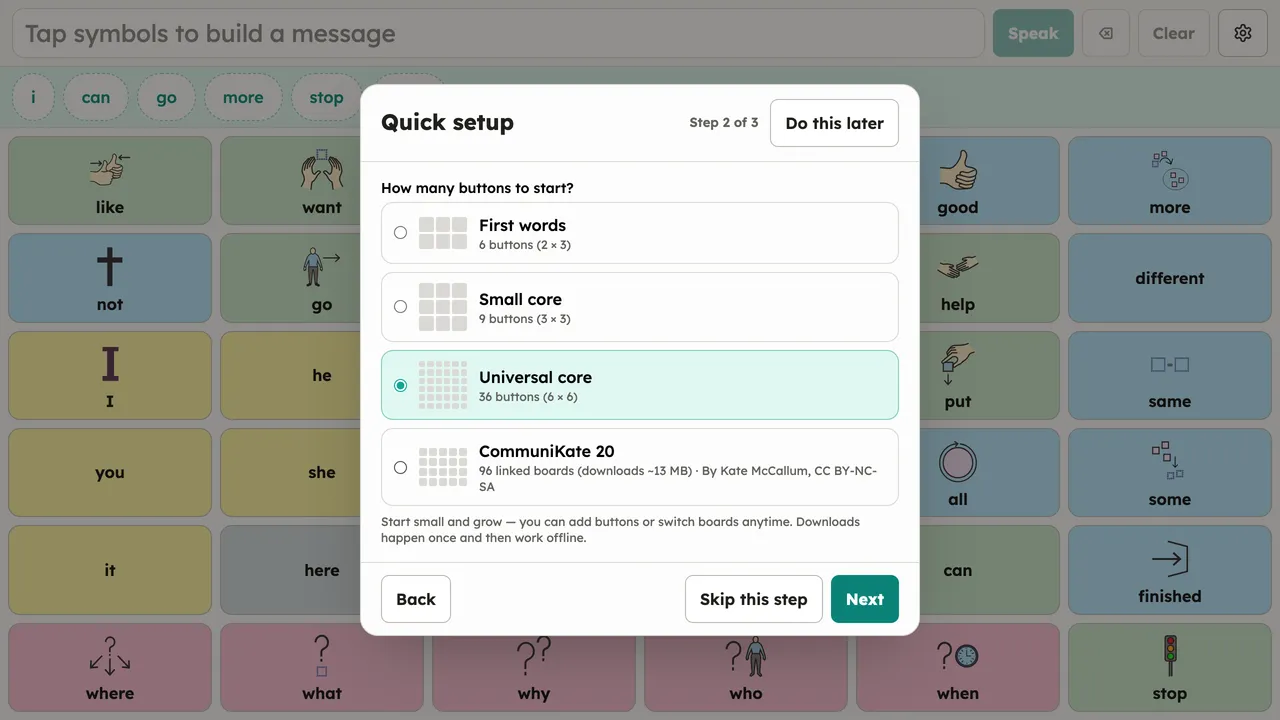
Every word on a smaller preset is on the bigger boards too, so moving up a size never loses vocabulary someone has learned. Why boards lead with words like want and more instead of nouns: see What is a core words board?.
CommuniKate 20 (downloadable)
Section titled “CommuniKate 20 (downloadable)”Both pickers also offer CommuniKate 20, a complete 96-board pageset with symbols and topic pages (by Kate McCallum, CC BY-NC-SA). It downloads about 13 MB once when selected, then works offline like everything else. Selecting it while offline fails with a plain message and creates nothing; try again with a connection.